Icon of program: Comodo IceDragon

Comodo IceDragon for Windows

  • Free
  • 3.8
    101
  • 31.2K
  • V134.0.6998.179
Free Download for Windows

View an ad to download for free

Secure and fast browsing with Comodo IceDragon

The Comodo IceDragon Internet Browser is full of features and offers a quick and secure online experience. The easy-to-use browser offers a high level of built-in security and privacy without compromising speed and performance. At the same time, it leverages the best of Chrome and Firefox with a few improvements.

Top Recommended Alternative

IceDragon?s features

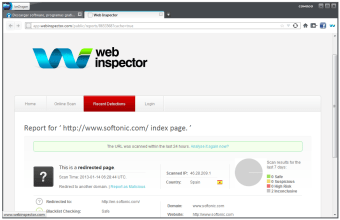
A Chrome-based product, the Comodo IceDragon Internet Browser builds on the open-source core that powers Firefox. The browser is also fully compatible with Firefox plug-ins and builds on Firefox?s privacy and performance, including enhanced social media integration and an integrated secure DNS service that means webpages load faster. Other features include SiteInspector, which scans sites for malware using the browser. The browser also offers significant personalisation options and access to an online marketplace to download add-ons, extensions and themes. There is also no tracking of online activity unlike many popular browsers such as Chrome and Firefox. To install the browser, you can set your internet connection to use Comodo?s free and secure DNS service or use your own settings. If you download and install Comodo Internet Security (a free antivirus software), you can use the browser?s virtualised mode that isolates it from the host system.

Fast and secure web browsing

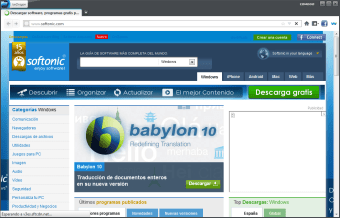
The Comodo IceDragon Internet Browser offers an excellent browsing experience similar to what you would find with more popular browsers like Firefox, Safari and Chrome. At the same time, it provides enhanced privacy and security. The secure browser is a stand-out among Chrome and Firefox clones, particularly with respect to its speed in downloading pages and establishing secure connections.


More about Comodo IceDragon

  • Pros

    • Fast internet browsing experience
    • Makes quick secure connections
  • Cons

    • Besides extra security and no tracking similar to Chrome and Firefox
    • Busy design compared to minimalism of similar secure browsers (for example Epic)
 0/3

App specs

  • Developer

  • License

    Free

  • Version

    134.0.6998.179
  • Latest update

  • Platform

    Windows

  • OS

    Windows 7

  • Language

    English

    Available languages

    • Arabic
    • Czech
    • Danish
    • German
    • Greek
    • English
    • Spanish
    • Finnish
    • French
    • Italian
    • Japanese
    • Korean
    • Dutch
    • Norwegian
    • Polish
    • Portuguese
    • Russian
    • Swedish
    • Turkish
    • Chinese
  • Downloads

    31.2K

    Last month's downloads

    • 213
  • Size

    141.72 MB

Program available in other languages


Icon of program: Comodo IceDragon

Comodo IceDragon for PC

  • Free
  • 3.8
    101
  • 31.2K
  • V134.0.6998.179
Free Download for PC

View an ad to download for free


User reviews about Comodo IceDragon

3.8

1 reviews

Add review

Main reviews for you

  • Anonymous user

    Keeps crashing when you have multiple windows and/or tabs open. I'm almost obsessed with installing multiple (at least 4) browsers on each OS I use, and I've installed this one on my XP along with many other browsers. Unfortunately I can't say it's particularly efficient, because it keeps crashing when uncalled for. If you like to browse with multiple windows and/or tabs open, and that multiple is a number that would sound unnecessarily too many to most people, stay away from Comodo IceDragon and stick to Comodo Dragon instead. That one only crashes when there isn't enough memory to allocate on your system, which happens a lot on 32-bit systems and is totally understandable. But IceDragon crashes almost on a regular basis, and totally abruptly, without any apparent reason. A dozen tabs is plenty to make it crash on you, whereas I've used CD with 29 windows and hell knows how many tabs open. Pros: Not too harsh on system resourcesPretty and user-friendly interface Cons: Keeps crashingNot very fast to start, especially if restoring session


More

You may also like

Alternatives to Comodo IceDragon

Explore Apps

Latest articles

Laws concerning the use of this software vary from country to country. We do not encourage or condone the use of this program if it is in violation of these laws.
Softonic

Is Comodo IceDragon safe?

100/100

Score result: Clean

This file passed a comprehensive security scan using VirusTotal technology. It is safe to download.

  • Virus free
  • Spyware free
  • Malware free
  • Verified by Security Partners

    VirusTotal logo

Scan Info

Last scan
Monday, June 30, 2025
Scan provider
VirusTotal · Full report

File Integrity

File
Comodo_IceDragon_V134.0.6998.179.exe
SHA256
a9a2f47b0be3e61b575dfb2a9ad4c4427bd9406ac0edce05e4913a1fff5d1c52
SHA1
9721b2aa4cc09ec16f4bddc0e666ed695e60ef29

Softonic security commitment

Comodo IceDragon has been thoroughly scanned by our advanced security systems and verified by industry-leading partners. This file comes from the official developer and has passed all our security checks, showing no signs of viruses, malware, or spyware. For more information, visit our Security and Trust Center

Signed in to Softonic as